How BidPropel works
From a raw Upwork job post to a winning proposal in under two minutes. Paste the post, read the analysis, and send a proposal written in your voice — one that references the client's exact problem.
3 free proposals per month. No credit card.
The flow, step by step
Four steps from job post to a proposal that gets read.

Paste the job post
Copy any Upwork job listing and paste it into the analyzer. No setup, no browser extension, nothing to configure. Works on mobile too.
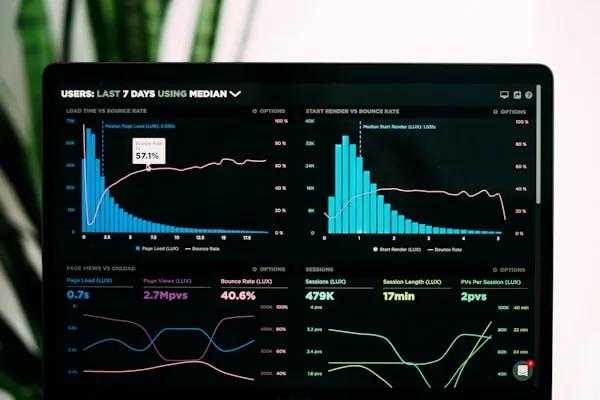
Read the 26-layer analysis
BidPropel flags scams, checks if the budget matches the scope, and finds the unstated need behind the job post — the thing the client actually wants but didn’t say directly.

Add your context
Write 1-2 sentences about why you’re right for this job — or click one button and let the AI generate three strategic variations with coverage scores.
Send a proposal that gets read
One click produces a proposal that references details from the actual job post. It reads like you spent an hour on it — because the system did. Review, personalize, and send before the job hits 50 proposals.
What the analysis finds
Before a single word is written, BidPropel reads the job post the way a senior freelancer would — surfacing the things that decide whether a job is worth your time and how to win it.
Worth your time?
Flags scams, off-platform contact bait, impossible scope, and identity harvesting before you spend a Connect.
Budget reality check
Compares the stated budget against the requested scope so you bid on real work, not traps.
What they’re not saying
Surfaces the implicit need — the outcome the client wants but didn’t state directly.
The tech that matters
Extracts the required stack and roles so your proposal hits the skills that actually count.
Trust trauma
Detects when a client has been burned before and calibrates your tone to rebuild trust.
Preview-optimized opening
Engineers the first 200 characters to reference their exact problem — the part that earns the click.
Why this isn't just “ask ChatGPT”
A generic chatbot skims the job post and writes a template. BidPropel analyzes first — scams, budget, unstated needs — then writes. The difference shows up in the first two sentences the client reads.
| Capability | Generic chatbot | BidPropel |
|---|---|---|
| Analysis before writing | ✕ | ✓ 26 layers |
| Scam / TOS detection | ✕ | ✓ 7 categories |
| Budget-to-scope check | ✕ | ✓ |
| Implicit-need detection | ✕ | ✓ |
| Preview-optimized opening | ✕ | ✓ ≤200 chars |
| Anti-AI phrase rewriting | ✕ | ✓ |
See it work on your next job post
Paste a job post, read the analysis, and send a proposal that opens with the client's exact problem. Your first three are free.
Frequently asked questions
- How does BidPropel work?
- BidPropel works in three steps. First, you paste any Upwork job post into the analyzer. Second, it runs a 26-layer forensic analysis that checks for scams, reads the budget-to-scope ratio, and surfaces the unstated need behind the job. Third, it writes a proposal that references the client's exact situation in your voice. You review, personalize, and send — usually in under two minutes.
- How does the AI proposal writer work?
- The AI proposal writer runs structured analysis before it writes a single word. It extracts the client's pain points, detects implicit needs, identifies the tech stack, assesses budget sensitivity, scans for 7 categories of TOS violations, and only then generates a proposal. This is different from pasting a job post into a generic chatbot, which produces a template. BidPropel analyzes first, then writes.
- Is the analysis free, or do I pay for it?
- The analysis is always free — you can run as many as you like. You only spend a credit when you click "Write Proposal." The free tier gives you 3 proposal generations per month with full analysis on every job post, no credit card required.
- Does BidPropel only work for Upwork?
- The proposal analyzer is built specifically for Upwork job posts — it understands Upwork's patterns, scam types, and client signals, including TOS violation detection. The invoice follow-up tools, payment reminder generator, and late fee calculator work for any freelance platform or direct client relationship.
- How long does it take to write a proposal?
- From paste to finished proposal, about 15 seconds for the analysis and a few more for the written proposal. The 10-15 minutes of focused reading a human would normally do before writing is what the engine handles. You still review and personalize the output before sending — that part stays yours.
- Will clients know I used AI?
- No. Every proposal references the specific job post, adapts to your context, and avoids the generic phrases clients recognize as AI tells. The system has built-in anti-AI detection that rewrites anything that sounds robotic. Clients see a thorough, specific proposal — not a machine.